Coming soon to macOS

The best place on your
Mac to think in text.

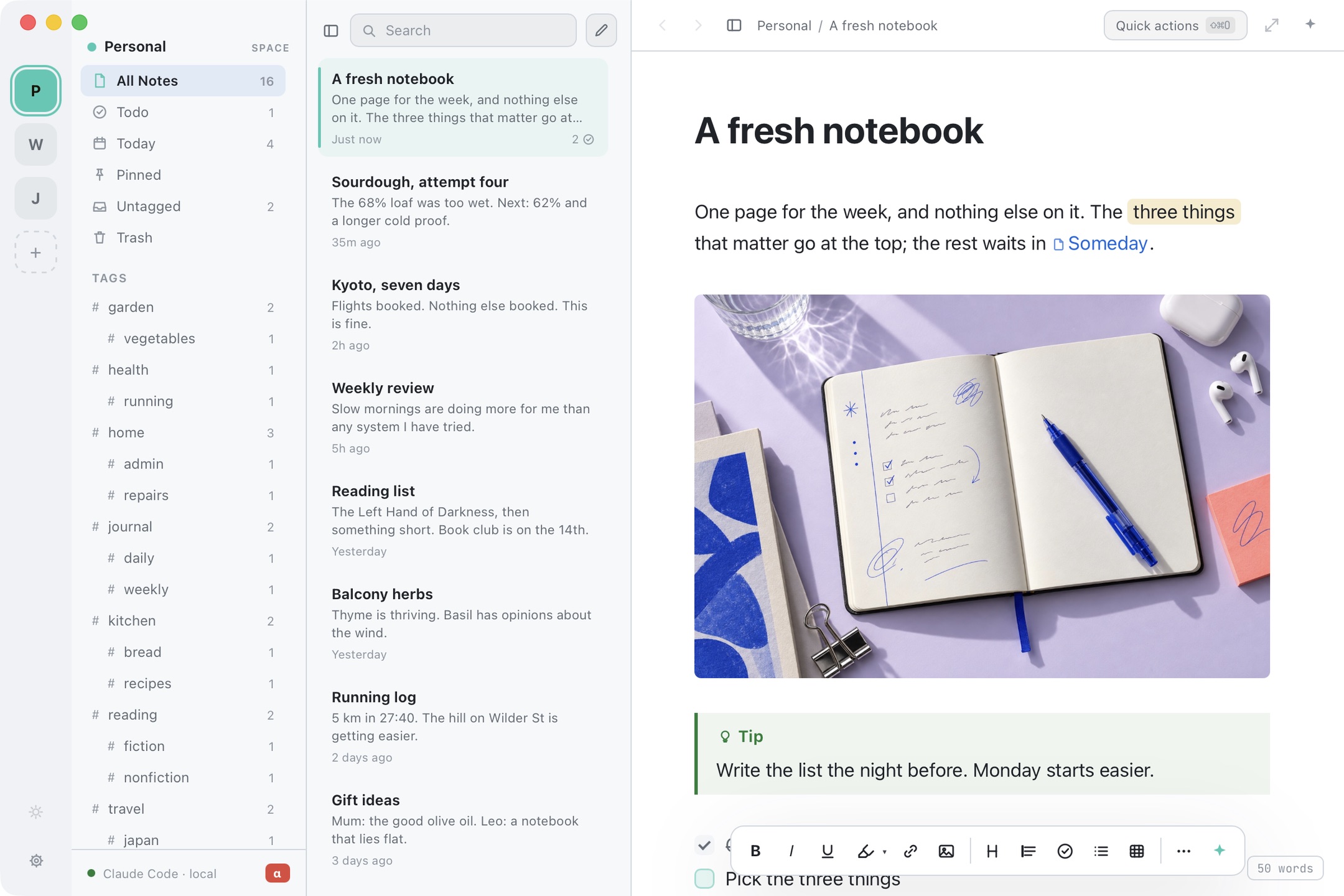
An editor that feels lovely under the fingers. Spaces that keep the day job away from the novel. Notes that point at each other. And an AI that sits quietly until you jab it with a cursor. Your notes stay ordinary files on your Mac, which is the least dramatic and most reassuring thing about it.

One email when it opens. No newsletter, no drip campaign, we promise. · Got a request? Tell us →
P
W
J
Personal SPACE
All notes34
Pinned3
To-dos11
Trash2
TAGS
#kitchen6
#reading9
#garden4
Local CLI · claude
Search
Sourdough, attempt four
68% hydration was too wet. Try 62% and a longer cold proof in the fridge overnight.
Today2
Weekly review
Slow mornings are doing more for me than any productivity system I have tried.
Yesterday
Balcony herbs
Thyme is thriving. Basil has opinions about the wind.
3 days ago
Reading list
The Left Hand of Darkness, then something short. Book club is on the 14th.
Mon
Kyoto, seven days
Flights booked. Nothing else booked. This is fine.
Last week
Personal / kitchen
Quick actions ⇧⌘O
Sourdough, attempt four
#kitchen

The 68% hydration loaf was too wet — it spread on the peel before the oven had a chance. Going to 62% and a longer cold proof.

Tip
Score deeper than feels sensible. It always closes up.
Feed the starter Friday night
Buy rice flour for the banneton
Ask the bakery on Wilder St what flour they use

Live preview: the syntax hides itself the moment you leave the line.

128 words
No account. · No sync service quietly holding your notes hostage. · Nothing leaves the Mac unless you ask it to.
01 — editor.md

Typing in it is the reason you will stay.

We fixed roughly a hundred tiny annoyances you had stopped noticing in every other notes app. You will not be able to name them. You will just find yourself typing more.

SEAMLESS MARKDOWN
# Markdown is king.
Bold goes bold on the second asterisk. Headings grow into headings. The markers sit quietly beside your words in a dimmer grey, and the moment the cursor steps past the bit you were formatting, they get out of the way instead of waiting for you to leave the line. Go back in and they are there again.
One document, always. You never toggle a preview pane or keep a second synced copy of the note.
We love /slash commands
Tables you edit cell by cell, code blocks, five flavours of callout, dividers, dates, highlights. Nothing is buried in a toolbar, because there is no toolbar.
Cllpsng is underrated
Collapse a heading to its title. Grab a line and drag it somewhere else. Lists indent the way you hoped, brackets and quotes pair themselves, finished to-dos sink to the bottom on command.
/tomorrow Tomorrow
Dates that age
Type a date and it stays honest: Today, then 3 days ago, then a plain date once it stops being urgent. You never do the arithmetic.
| table | ==mark==
Advanced Markdown
The flavour you already type: tables, task lists, strikethrough, fenced code, blockquotes, callouts. Paste from a README and it just works.
⌘K [text](url)
Links that behave
Paste a URL onto selected text and it becomes a link. Hover for a preview. Drop in images and files and they land where you dropped them.
⌘⌥Space
Quick notes
Capture without opening the app, even with the main window shut. Thought arrives, thought gets written down, window disappears.
02 — spaces.md

Work does not belong in the same drawer as dinner.

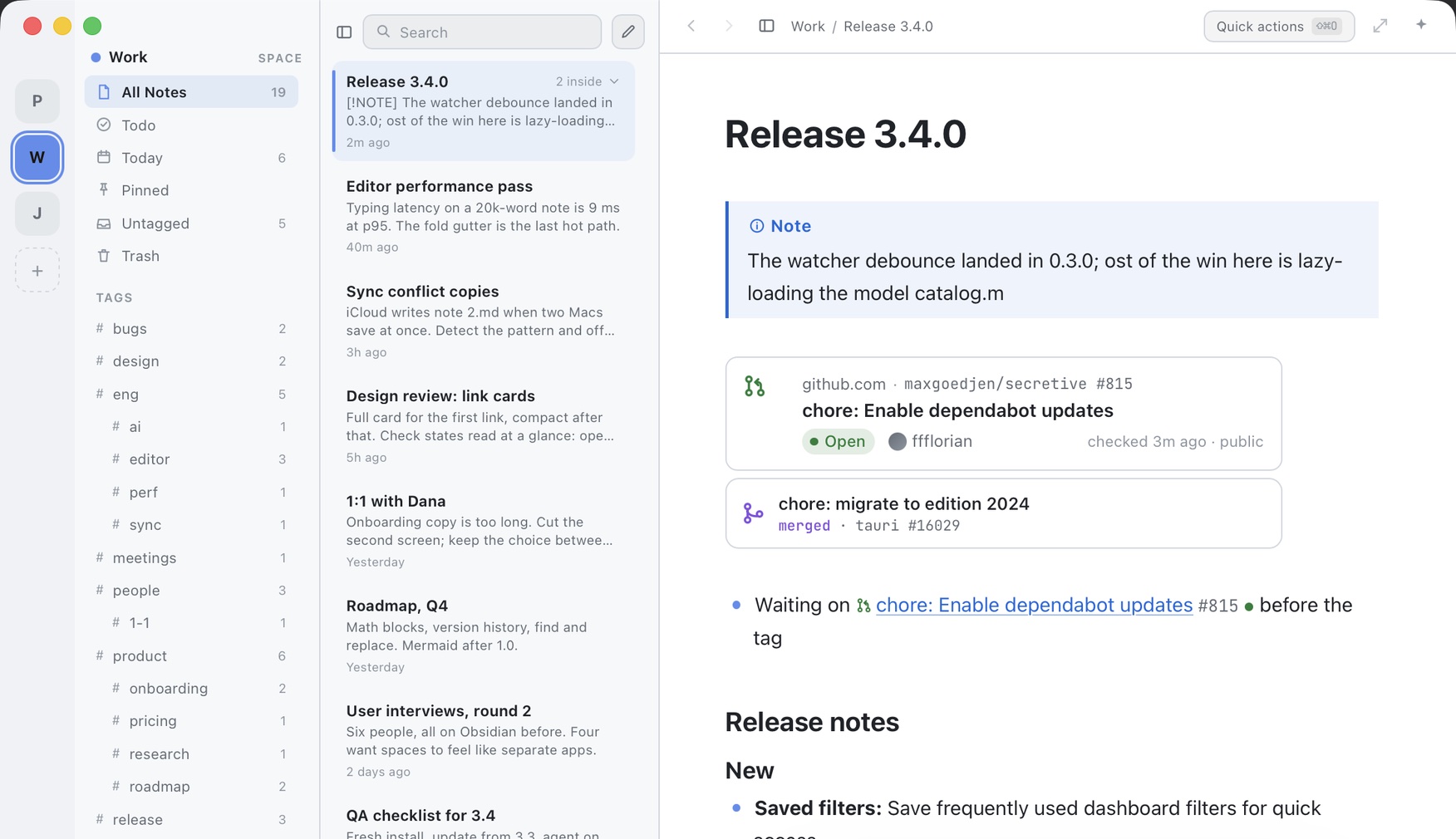
Each space is its own folder, its own note list, its own search, and its own tint, so the whole app quietly changes colour when you switch. Client work here, the side project there, the reading pile somewhere else entirely. One click and the other three stop existing for a while.

Drag a note into a different space and every link pointing at it still lands. Margin keeps track. You are free to reorganise at 11pm with no consequences.

03 — links.md

Notes that point at each other.

Start typing a note's name and link straight to it. Rename that note later and every mention of it quietly updates, because chasing broken links is nobody's idea of a good evening.

You can also grab a link to a note and drop it in a calendar invite or a ticket. Click it, Margin opens, right note, right place. And ⇧⌘O does the same trick for everything else: every command and every note in one list, without touching the mouse.

sour esc
NoteSourdough, attempt four
CommandSort to-dos
CommandNew note⌘N
CommandSummarise note
SpaceSwitch to Work
Picking up from 📄 Sourdough, attempt four — same flour, hotter oven.
Rename that note and this line renames itself.
04 — ai.md

Your prompts, your model, your machine.

Write your own actions once and they live in the menu forever: "make this a tweet", "turn this into a changelog entry", "answer this in my voice". Each one decides where its result goes, including straight onto the clipboard. Every change arrives as a diff you say yes to first.

Then pick who does the work. A frontier model on your own API key, the CLI agent already installed on your Mac, or a model running entirely on the machine. The actions are the same either way.

Pick an action, or just say what you want
The 68% hydration loaf was too wet — it spread on the peel before the oven had a chance.
Reword Shorten Expand Fix grammar Summarise ✦ Ask…
The built-ins cover the boring jobs: reword, shorten, expand, fix grammar, summarise, outline, action items, turn it into a table. Everything past that is a prompt you wrote yourself, saved into the same menu, with a tone of voice if you want one.
You see the diff before it touches the note
The 68% hydration loaf was too wet — it spread on the peel before the oven had a chance.
At 68% hydration the loaf spread on the peel before it reached the oven.
1 of 3 changes Reject all Accept all ⇧⌘↵
Walk it change by change, take the lot, or throw it all away and pretend it never happened.
OPTION ONE
Bring your own key
The best models, at cost, billed to you and nobody else. Your key lives in the macOS keychain, never in a settings file and never on our servers, because there are no servers.
OPTION TWO
The agent you already have
Margin spots Claude Code or Codex CLI on your machine and routes through it. You are already paying for it, so this costs nothing extra and needs no key at all.
OPTION THREE
Nothing leaves at all
Download a model into Margin, or point it at the Ollama models already on your disk. It runs inside the app, offline, on a plane, with the wifi off. No key, no account, no request.
05 — developers.md

Built to developer standards. Not for developers only.

We built the notes app we wanted for ourselves, which meant being fussy about the things developers get fussy about: it starts instantly, it never blocks on a spinner, your notes are ordinary files, and nothing is hidden behind a service.

None of that asks anything of you. Open it, type, close it. It behaves exactly like a notes app should. The deeper end is there when you want it: keep a space inside a repo, drive it from Shortcuts or Raycast, wire it to a hotkey. Ignore all of it and nothing is missing.

More is coming for the tinkerers, because we are the tinkerers. Everyone else gets the same app, quietly getting faster.

~/code/ship-it/docs/
├── rfc-importer.md
├── sprint-42-retro.md
└── attachments/
Nothing weird in the files. Open them in any editor on earth.
Change one outside the app and Margin catches up before you have switched windows.
Leave whenever you like. Take the folder. That is the entire exit plan.
29 themes
Solarized, Nord, Dracula, Gruvbox, Tokyo Night, Rosé Pine, Catppuccin. Yes, the one you are thinking of.
Merge and move
Squash four half-notes about the same thing into one good one. Move it elsewhere without breaking anything.
Trash & restore
Deleting is reversible, which is good news for how you delete things at midnight.
Copy as anything
Markdown, plain text or rich text on the clipboard, so it arrives looking correct in Slack.

Not open yet. Nearly.

Margin is being built slowly and on purpose. Leave an address and you will hear from us exactly once, on the day it opens, and then never again unless you ask.

No newsletter·One message, then silence·We do read the notes